
- Articles
- Posted
Simplicity, lightness, and a focus on streaming sound quality - JPLAY
In the age of streaming and digital audio files, one might think that listening to music has never been simpler. In practice, however, especially for more demanding users, it remains a surprisingly complicated business, particularly when we want to combine the convenience of using a smartphone with the capabilities of more advanced audio equipment. When it comes to managing music playback, we usually have two options. The first is to use the app provided by the streaming service itself - quick and intuitive, but offering only basic functionality. Better control over sound or more advanced options are out of the question, and on top of that our player must be compatible with a given app and hold the right certification for it to appear on the list of available output devices at all. The second option is to turn to external software such as Audirvana, Roon or apps supplied by hardware manufacturers such as BluOS, Lumin or Auralic. This is where the trouble begins as well. Either something important is missing, or the app turns out to be clumsy and unstable, or it is excellent, refined and versatile, but expensive. What is missing is a single standard and a common language. Every company goes its own way - some build their own closed ecosystems, others support already existing platforms, and some seem to be waiting, although it is not entirely clear for what. As a result, the user has to improvise and navigate between all these options, which often ends with the use of several different apps. One streamer appears in the streaming service app, another does not. One supports all the popular standards, while with another the wait for certification has already dragged on for a year, and nobody knows whether customers will ever get it. One proprietary app turns out to be polished, another is irritating at every turn. And yet it was all supposed to be so elegant... Streamers, DACs and all-in-one systems are still evolving relatively quickly, but when it comes to apps, the last real breakthrough was Roon, which arrived on the scene ten years ago. That software has also continued to evolve, though perhaps not as quickly as some would like. Meanwhile, a very serious rival has emerged right under our noses. Meet JPLAY.
I had heard about this Polish audiophile software many times before. If memory serves, I even had a chance to try one of its early versions, but because of other limitations in my reference system I stayed with the tried and convenient option of foobar2000 with ASIO drivers installed. Today, however, we are talking about something completely different, because JPLAY has transformed into a self-contained, technically advanced and, let us be honest, highly compelling mobile app. It marks a new opening in the company's history, and it is no surprise that within the space of just two years this remarkable piece of software has been noticed by demanding audiophiles, journalists and hi-fi industry specialists. I became convinced that it was worth a closer look during last year's Audio Video Show in Warsaw, where JPLAY was the technology partner. "We invited a new technology partner to join us - JPLAY, a Polish company whose advanced music player created by Marcin Ostapowicz has earned a reputation as the best-sounding hi-fi app in the world. We were proud to join forces with Marcin and give visitors an opportunity to experience this reference-grade application and enjoy seamless streaming." - said the show's organiser, Adam Mokrzycki. Afterwards, the subject of this Polish app kept resurfacing in my conversations with hardware manufacturers and distributors. Most of them are people whose experience and ears I value very highly, because this is rarely an industry one enters by accident. Essentially, we are all enthusiasts of music and audio electronics - according to some, even among the most committed, dedicated enough to turn our hobby into a way of life. When the third such person called me just to rave about JPLAY and ask whether I had had a chance to try it, I decided not to wait a second longer and jumped aboard. If this really was a revolution on the scale of Roon, I simply could not miss it. Was it worth it? We will come to that in a moment, but first let us start this story at the beginning.
To understand what the problem is...
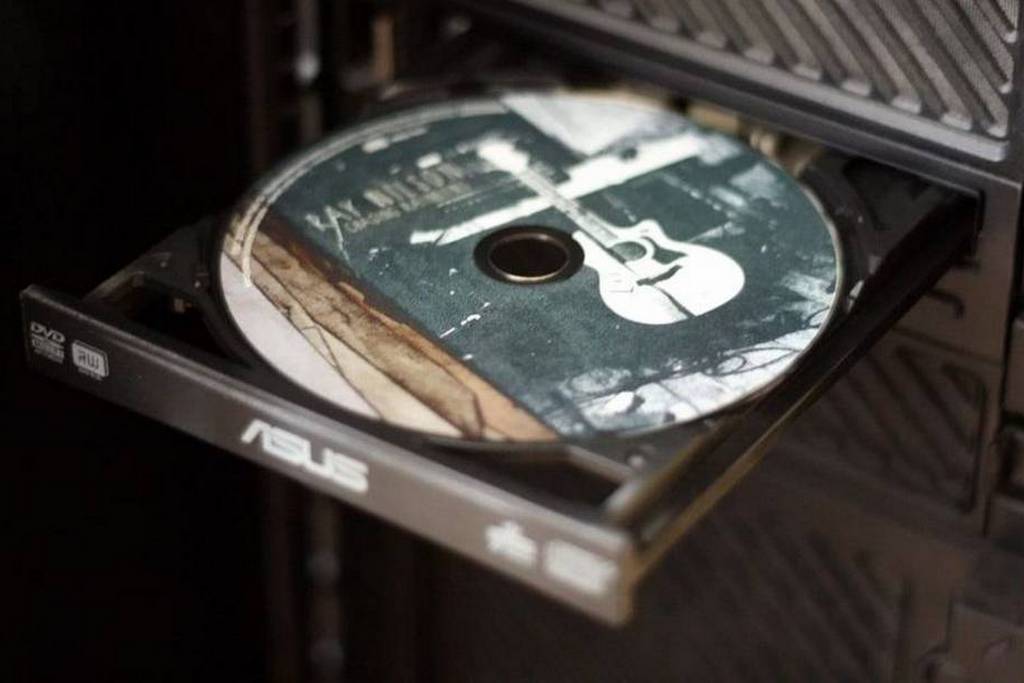
Manufacturers of audio equipment and the software used to operate it are bending over backwards to make it as easy to use as possible. And although the results do not always match our wishes, the situation is still far better than it was at the very beginning of the file-based revolution. Earlier format changes were proposed by the market itself, nudging us from vinyl to cassette, and from cassette to compact disc, MiniDisc or SACD. Moving a music library from discs onto a computer drive, or downloading music in that form from the internet, was a grassroots initiative, one the industry approached with considerable hesitation. Everything was questioned, from the delicate issue of copyright to technical correctness and the achievable sound quality when playback came not from a disc but from a PC hard drive. Most audiophiles objected as well, because files were associated with the loathed MP3s of that world. And although MP3 dominated, if only because of the limited transfer speeds in most homes, it was clear that the situation was developing rapidly. It took only a few years for downloading albums in lossless FLAC and storing huge audio libraries on a pocket-sized drive to become everyday reality. Today, in the era of fibre broadband, flash memory measured in terabytes and a music market dominated by streaming, downloading an album in DSD64 takes a dozen or perhaps several dozen seconds, while an SSD large enough to hold roughly 300 such albums can be bought for just $50. It is easy to understand why listening to music from files stopped being associated in audiophile circles with dreadful MP3s and became a pursuit for those looking not only for convenience, but above all for the highest possible sound quality.
In the early years of file-based playback, audiophiles encountered a whole series of technical and organisational obstacles. Most of them used the Windows operating system, which despite its many advantages had not been designed with precise, uninterrupted audio stream transmission in mind, but rather with the task of spitting out reasonably correct sound from many different sources. Signals from multiple running apps, the web browser, games or the music player all passed through the standard WDM mixer, which interfered heavily with the data, inserting its own buffers and processing the signal with unwanted resampling or additional filtering. The result? High jitter, poorer dynamics, reduced transparency, and flat, grey, lifeless sound. Only the arrival of ASIO and WASAPI drivers made a bit-perfect path possible, but this usually required installing those drivers and configuring everything so that the playback software could actually see them. More advanced users could play with buffer settings and processor priorities, and even try to configure the PC in such a way that all unnecessary apps and processes were disabled during music playback. Playing 24-bit FLAC files in high resolutions had to compete for resources with system processes, which in the days of single-core processors led to overloads and dropouts. Only the introduction of multi-core CPUs and thread prioritisation made it possible to move an entire playlist into RAM and maintain a smooth stream of data.
The second obstacle on the road to audiophile fulfilment was the computers themselves. They were usually ugly towers or laptops which, given their size and weight, would today be classed as desktop machines. In both cases the same sins kept recurring - not enough space for files, no real possibility of tailoring the computer to serve music playback alone, and noise. Advanced cases, quiet fans and power supplies, or passive cooling systems for CPUs and graphics cards were then niche toys for enthusiasts. The average user did not care that the computer made noise, but from an audiophile perspective it was unacceptable. Spinning hard drives, early-generation USB ports, sound cards - all these components had limited bandwidth and, frankly speaking, were not designed for serious music listening. The PC had to read samples in real time, which, together with other parallel system processes such as antivirus software, task schedulers and updates, led to interruptions and interference. Today, buying or building a powerful, quiet computer or laptop poses no problem at all, but in the early days of the file-based revolution it was a project that demanded a fair amount of knowledge, a bag of money and a little luck.
Let us assume, however, that we managed to create a machine that was ideal from an audiophile point of view - modern, quiet and configured so that music playback took precedence over almost everything else. How were we then supposed to connect such a computer to a stereo system? Apart from the most brutal options, such as using a long cable that would almost certainly deliver a healthy dose of noise and interference to the amplifier along with the signal, one possibility was a professional sound card - either internal or external. Hi-fi manufacturers quickly noticed the trend and tentatively began launching precisely these kinds of external sound cards or, in other words, digital-to-analogue converters with USB input. Before long, anyone interested in the subject wanted a DAC of their own. It started with tiny devices such as the Audioquest Dragonfly, Meridian Explorer, M2Tech HiFace DAC, Hegel HD2, Arcam rPac, Asus Xonar Essence STU, Pro-Ject USB Box, FiiO E10, Cambridge Audio DacMagic 100 or Musical Fidelity V-DAC II. Later came slightly larger and better DACs such as the Audiolab Q-DAC, PS Audio NuWave, Peachtree Audio DAC iT, Schiit Bifrost and Burson Audio DA-160. Since appetite grows with eating, the industry soon moved on to serious, full-size models - Atoll DAC200, Electrocompaniet PD-1, Hegel HD30, Naim DAC-V1, NAD M51, Primare DAC30, Arcam FMJ D33, Naim DAC, PS Audio Perfect Wave, Meitner MA-1, MBL 1611 F and Esoteric D-02.
Hi-fi manufacturers quickly realised that music lovers were becoming increasingly interested in files. In just a few years we travelled from budget sound cards and isolated DACs treated almost as curiosities to serious converters and USB cables built in much the same way as high-end analogue interconnects. The hardware was available, but the struggle shifted back to the source. Buying a DAC was easier than getting the computer side of things under control. USB connections often failed to guarantee proper clocking of the data, which resulted in high jitter. There was a shortage of sensible software, tools, drivers and standards that would allow the library and data access to be unified. The very process of acquiring music in lossless or high-resolution formats tested audiophiles' patience severely. Ripping compact discs is no problem when you have a few dozen. A few evenings and the job is done. But if you can rip only three or four discs an hour, often having to type track titles manually from the booklet because the publicly available database has never heard of that particular album, and then you look at several tall shelves packed to the brim with CDs, the whole thing can become deeply discouraging. In search of hi-res files, one could browse HDtracks, HighResAudio, High Definition Tape Transfers or Native DSD, the websites of labels such as Linn Records, Deutsche Grammophon, Naim Label or 2L, and in some cases find interesting music in high-resolution formats on the artists' own sites or Bandcamp profiles. The offering, however, was poor and heavily focused on classical music, jazz and audiophile samplers.
All of this shows that moving from physical media to files required a great deal of determination. Anyone who thinks people started choosing files for convenience has no idea what they are talking about. Fine, perhaps it was relatively easy for an average user who only wanted to listen to MP3 files occasionally and was not bothered by flat sound or by background alerts from various running programs. But for an audiophile it was a road through torment. From obtaining the files, through sorting out the player, to the hardware the computer was meant to connect to - every step demanded improvisation. The user had to manually piece together the player, drivers, network servers and hi-fi hardware, which for many turned into a small engineering project. Integration with UPnP/DLNA servers or streaming services was still in its infancy. Streaming services offering studio-quality music were discussed in the same way as phones with cameras supposedly capable of rivaling DSLRs - some sensed that it would happen one day, but the prospect seemed very, very distant. So we had a fledgling technology, limping software, countless large and small problems, and people trying to build something usable from whatever parts were available. Fortunately, there was no shortage of enthusiasts among them who, instead of complaining, decided to take matters into their own hands.

A note about the author
Marcin Ostapowicz is passionate about music and technology. He was born into a family with deep musical roots - his father was a professional musician and teacher. As a child, Marcin learned to play piano and guitar at a first-level music school, while at the same time developing a fascination with computers. Although he formally ended his musical education after primary school, he inherited from home a sensitivity to timbre and dynamics that later became the driving force behind his work in the world of hi-fi. "I quickly noticed differences in sound between various digital transports. As a result of that discovery, and thanks to my interest in IT and my education in that direction, I began to wonder how the potential hidden in computers could be used for music playback. I started experimenting on my own. Despite the reluctance of both the global and Polish audio community towards the subject of sonic differences between digital devices, I was not discouraged and continued my research, and my passion slowly turned into a profession." - he writes in his biographical note.
In 2004, encouraged by his first experiences with the alternative kX Project drivers for Creative Sound Blaster cards, Ostapowicz discovered that different audio file players actually sounded different. Fascinated by the potential of foobar2000, he dug deeper on forums until he came across Josef Piri, a Dutchman equally in love with computer audio. Their shared passion and critical view of commercial players led them to create their own music playback software, focused on a single aim - achieving the highest possible sound quality. To do that, they needed to minimise the negative influence of various hardware and software factors. The result was JPLAYmini, which debuted in 2011. Among its distinctive features was the fact that it loaded music entirely into RAM, eliminating jitter and the influence of the drive on sound quality. As the software gained recognition among users, Marcin Ostapowicz took full control of it and gradually expanded it with advanced modes such as Large Page Memory, Hibernation Mode, Overdrive, DedicatedCore and DirectLink with a single-sample buffer. JPLAY evolved steadily and was, in truth, one of the very few playback programs designed by audiophiles for audiophiles. Unsurprisingly, it was noticed not only in Poland, but all over the world. Reviewers from magazines and blogs such as HiFi Advice, Pursuit Perfect System, Digital Audio Review, Net Audio, Positive Feedback, HiFi Statement, Audiostream, 6moons, Eins Null, The Absolute Sound, Stereoplay, Enjoy the Music and TNT Audio all spoke of JPLAY in glowing terms.
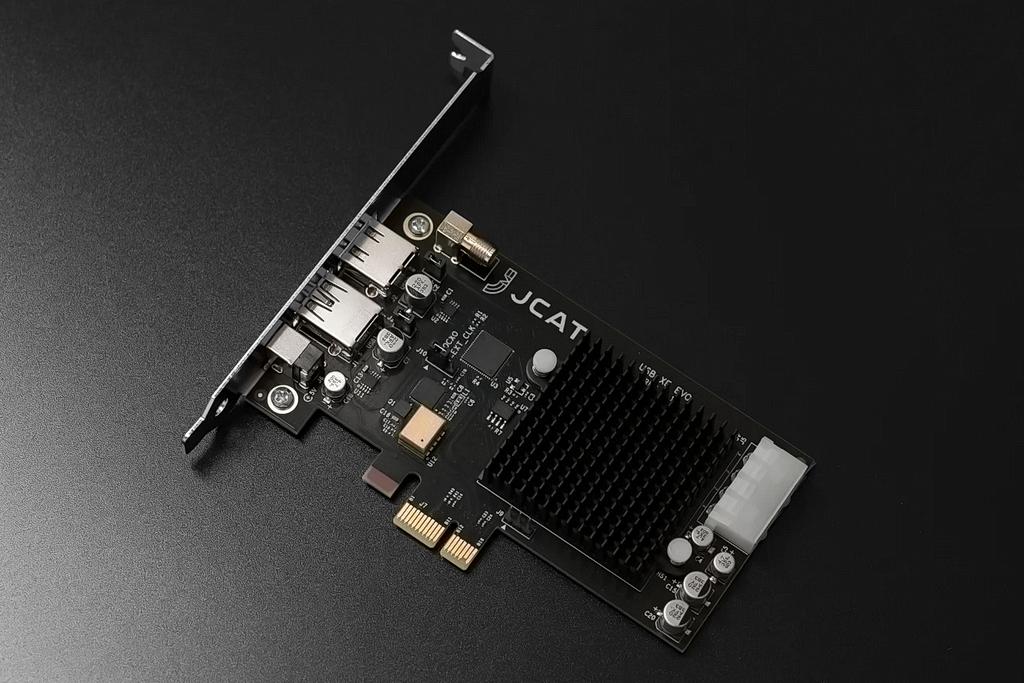
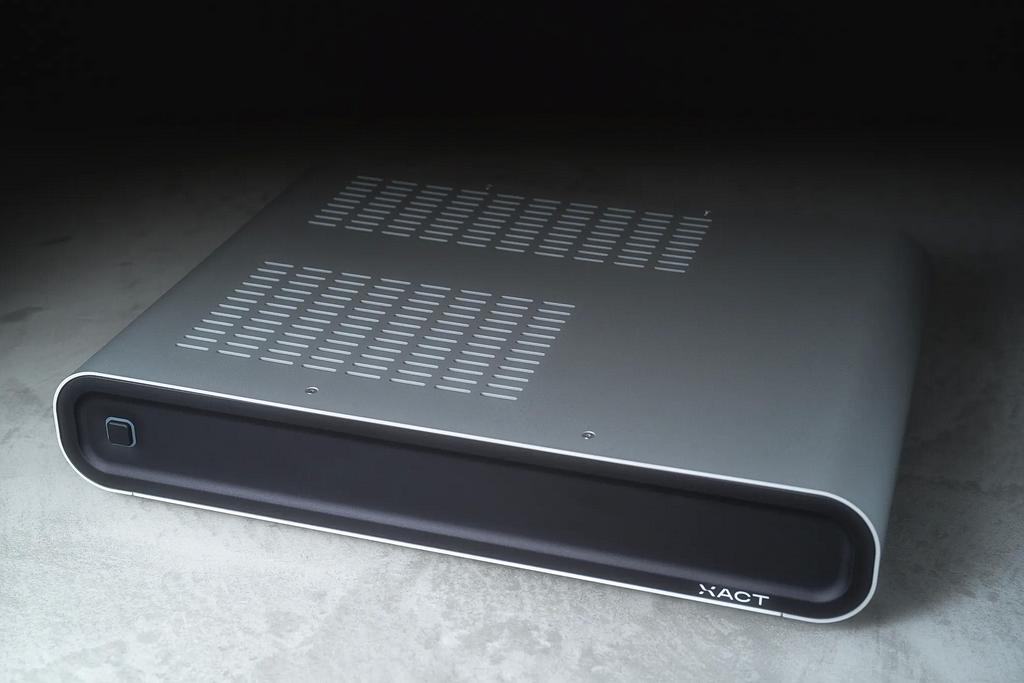
In 2013, Marcin Ostapowicz founded JCAT, a company intended to complement the hardware side of the computer-audio chain. Its catalogue included devices and accessories for the most demanding and experimentally minded audiophiles - components for upgrading DACs and music servers, galvanic isolators, digital cables, power supplies, anti-vibration feet and high-end network switches. To understand the level of hardware obsession we are dealing with, it is enough to mention the recently introduced XACT N1 switch. While most similar switches are, in essence, slightly modified IT devices from the mass market, the XACT N1 completely breaks with that approach. Equipped with its own from-scratch motherboard design, linear voltage regulation for every circuit and a dedicated linear power supply, the N1 was built with one clearly defined aim - preserving signal purity and maximising sound quality. It might sound like excess, but again it needs to be stressed that this is not equipment for the average music lover, but for the most demanding audiophiles who, in pursuit of the ideal, have already refined virtually every link in their stereo system many times over. And Marcin Ostapowicz himself is no exception. Let us spare ourselves a list of the individual components in his own system, but one glance at a photograph is enough to tell us that this is serious business. Looking at such a system, I get the impression that even the power cables were selected with a very specific sonic goal in mind, chosen to emphasise particular aspects of the presentation.
Both JPLAY and the accessories offered under the JCAT brand enjoy the trust of demanding audiophiles all over the world. JCAT products have been reviewed in prestigious magazines such as Stereo Sound and Net Audio in Japan. Ostapowicz remains an active high-end consultant, developing software and hardware alike, while also continually promoting the idea that a stereo system's ability to reproduce the highest quality sound depends equally on the careful design of hardware and software. As we can see, his passion operates on many levels, which from the perspective of other audiophiles creates a coherent and credible picture. Modern stereo equipment cannot function without good software, just as no turntable will play without electricity and well-produced records. These two areas complement each other, which is perfectly reflected both in Marcin's private system and in his commercial activity.
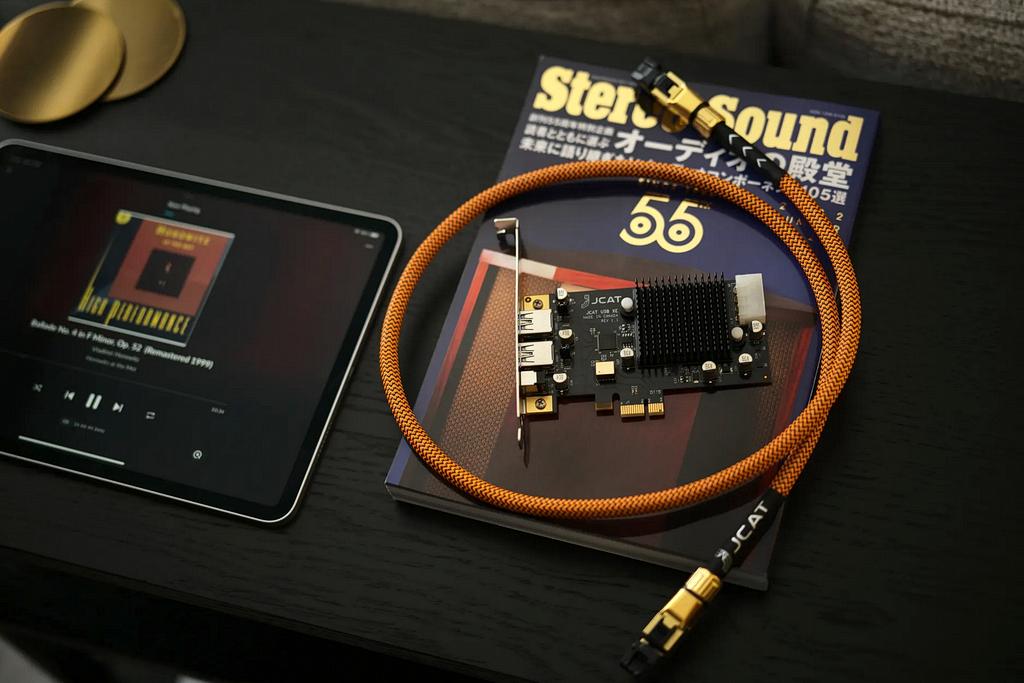
JPLAY on Windows
At first, JPLAY was available only in a version for Windows computers. There is nothing surprising about that, because at the time it was the only truly sensible solution, suited to the needs of the overwhelming majority of users. It is worth adding, however, that this information is now of historical value only, because for the past two years Marcin Ostapowicz has focused his efforts on the latest version designed for iOS devices. Even so, I thought it was worth describing the earlier generation of this software, because it gives a good sense of the level of uncompromising thinking that has not changed and which, despite a different appearance and much greater ease of use, still forms the foundation of the app we can now install on an iPhone or iPad.
JPLAY for Windows was not so much a standalone music player with an audiophile graphical interface or unusual features in the Roon mould, but rather something like a driver or overlay operating a little below the surface. The installation itself was very simple, but afterwards the user had to focus on configuring the software in line with the creator's recommendations, and he was in fact very active in helping those who struggled with it. A classic interface with windows, covers and track lists hardly existed at all. The main JPLAY window looked more like a notepad than something designed for music playback. Why did it look like that? Because JPLAY could make use of the interfaces of other, well-known music applications such as JRiver Media Center, foobar2000 or MediaMonkey.
The fact that we were dealing with software for true obsessives was evident in the simple detail that JPLAY played FLAC, WAV, AIFF and ALAC files, but not lossy formats. But that was only the beginning. JPLAY was designed to take control of the computer and prepare it for one thing only - the best possible music playback. It muted and disabled everything that could interfere with the audio signal - from unnecessary processes and services to... the monitor. Yes, in Hibernation Mode the program literally switched off everything unrelated to music. Before playback began, JPLAY moved the entire audio file into RAM in order to avoid delays caused by reading data from the drive. In other words, the music was not being read during playback, but pushed further towards the output and prepared like a long chain of dominoes. JPLAY ensured minimal processor latency by using optimal memory-management techniques such as Large Page Memory and uninterrupted bit transfer by assigning the player the highest possible priorities through Maximal Priority Scheduling. It reduced operating system latency with Maximum System Timer and even removed all processes from one core, distributing them across the remaining CPU cores through DedicatedCore Mode. According to many audiophiles, the results were not merely audible, but genuinely revolutionary.
Later versions of JPLAY became more functional and more user-friendly, though no less uncompromising about sound quality. The final Windows version, JPLAY Femto, introduced in 2018, brought a number of improvements, including femtoServer - an ultra-light UPnP media server that allowed digital files to be played with greater clarity and precision than ever before. Its own UPnP renderer made it possible to achieve the highest level of performance with virtually all audio formats and resolutions, including DSD 256. JPLAY Femto also integrated streaming, including lossless high-resolution streams from Qobuz and TIDAL. Interestingly, it was even possible to hook it up to Spotify in such a way that it would appear on the list of audio output devices. For some users this was completely irrelevant, but a number of audiophiles use Spotify for podcasts or for discovering new music, and for them such a solution could be genuinely surprising. Who would have expected that from software created by hardcore audiophiles and nerds, through which one could originally listen only to music in lossless formats?
All of this sounds excellent, but soon a certain problem appeared - the world had once again moved on, and fewer and fewer people were using a computer connected to a DAC by USB to listen to music. Network players had reached such a high level that even very demanding audiophiles stopped worrying about PC software and all the problems that came with it. Instead, they began to build complex, multi-component digital sources consisting, for example, of a network transport, DAC, power supply and external clock. Computers were relieved of the role of data source for the DAC, becoming at most a place to store files or run software that managed playback, but without a physical connection to the stereo system. Fully aware of these changes, Marcin Ostapowicz moved JPLAY into its next stage of development. His software also had to detach itself from the computer and become an audiophile control centre for music, focused on achieving the highest possible sound quality while acting as a kind of remote control for a streamer. That was how we got...
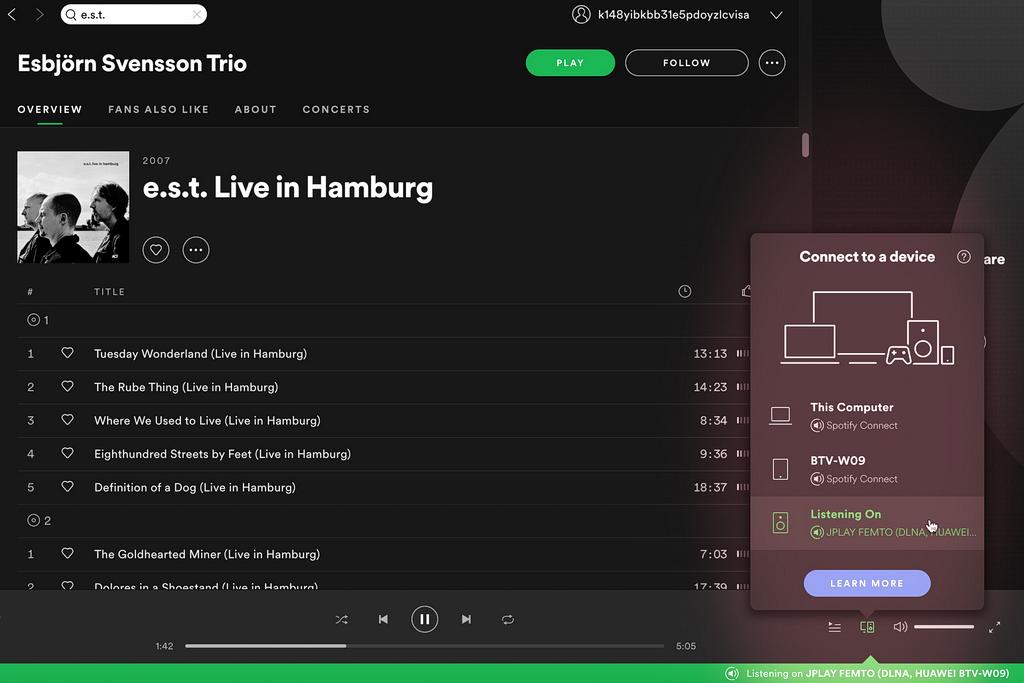
JPLAY on iOS
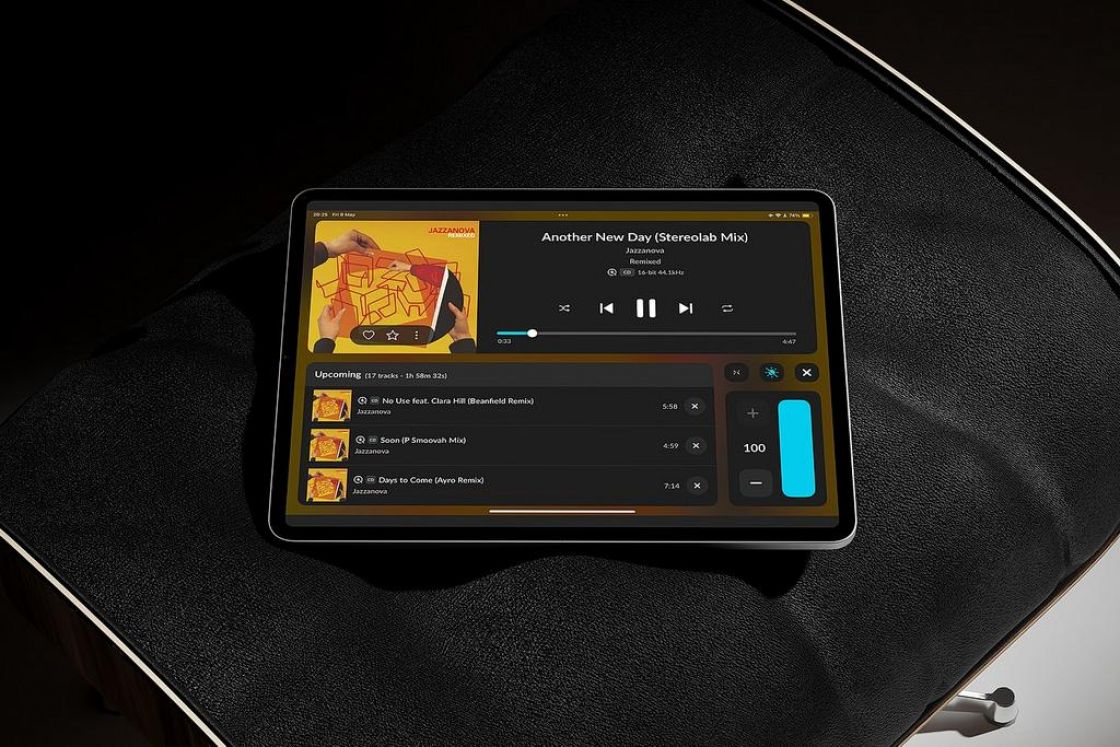
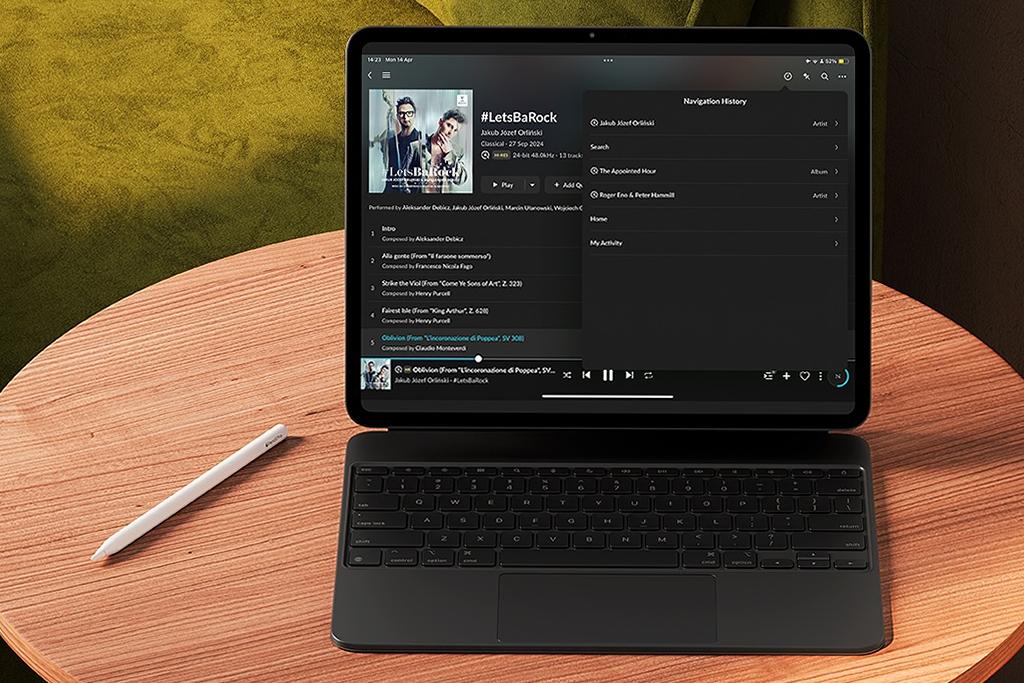
JPLAY for Apple devices appeared in the App Store in February 2023. From the very beginning, its creators aimed to set new standards for playing music from files and streaming services, setting themselves three key challenges - to achieve absolute minimalism in the interface, retain full control over every stage of data transmission, and enable seamless integration with existing UPnP/DLNA infrastructure. Most importantly, we are talking about a full-fledged app that does not need to piggyback on an external interface, whose installation is simple, quick and trouble-free, and whose operation does not require a doctorate in information technology. From the very first launch, the app greets us with restrained yet refined graphics. Clean, geometric album cards and strong contrast fit perfectly with what many audiophiles have already become accustomed to in apps such as TIDAL or Spotify. There are no unnecessary buttons or redundant gimmicks. Instead, everything is built around toolbars that appear only when needed - scrolling through UPnP servers, filtering by genre or quickly jumping to a playlist. It is immediately clear that JPLAY was created to give us access to the music we own or subscribe to, not as a tool that integrates everything with everything else, displaying artist biographies, song lyrics, music videos and concert ticket prices for upcoming shows. Nothing of the sort. JPLAY is simple, but it looks fantastic.
Under the surface, however, there is an arsenal of optimisations that is rare in the mobile world. Multithreaded metadata retrieval has been split into specific tasks, from cover art downloading to file-quality analysis, which allows the interface to remain fluid even with large libraries. Adaptive Update Time, meaning an adaptive renderer polling interval, automatically adjusts the frequency of network communication depending on the load on the local Wi-Fi network, and with a weaker connection it lengthens the intervals between queries in order to minimise jitter and packet loss. For advanced users, the key feature is direct cooperation with HQPlayer. JPLAY can pass streams with DSP enabled, making it possible to use one's own filters and oversampling algorithms on an iPhone or iPad. This is a solution that owners of DACs supporting the highest PCM and DSD resolutions will particularly appreciate, because it allows them to make full use of the potential of their hardware. Users and reviewers alike praise JPLAY for its fast search function, reliable gapless playback and stability when streaming TIDAL Masters in 24-bit/96 kHz or 24-bit/192 kHz quality. What is more, already in the first months after launch the developers introduced a series of improvements, such as support for new RAAT renderers, optimised buffering for albums containing hundreds of tracks, and several variants of parametric EQ for those who like to make subtle tonal corrections without leaving the app.
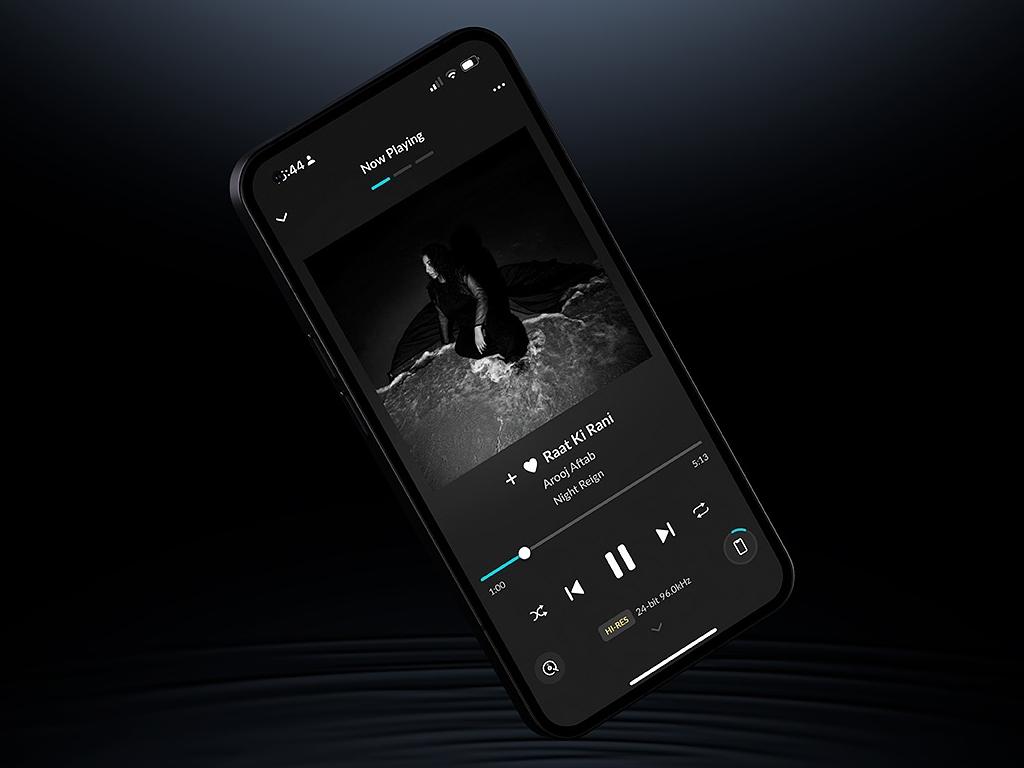
Installation and use
Getting started with JPLAY is remarkably simple. Just download the app from the App Store, launch it and follow the instructions shown on screen. From the very beginning, what made the biggest impression on me was the speed and confidence with which the app operated. I mention this mainly because for quite some time now I have been using Roon on both computer and mobile devices, and although I still consider it fantastic, powerful software, I often find myself waiting for the next screen to load or even having to close and restart the core running continuously on a computer. That, incidentally, is another issue with Roon - it is designed in such a way that on one of the PCs or network drives operating in our home it must have its own base. So the phone app is not really the program itself, but something more like a remote that lets us control software already running elsewhere. It is, admittedly, a quirk that does not bother me in the slightest, but for many audiophiles it presents a problem they have to solve right at the start, because otherwise nothing will work at all. JPLAY is different. It feels feather-light, and this is not just an impression, because after download the whole app takes up less than 55 MB, and after indexing and two weeks of use that figure had grown to just 65 MB in my case. For comparison, Roon Core on my computer weighs in at 786 MB, while the iOS version consumes as much as 499 MB of storage on an iPhone or iPad. Let me remind you that the role of the Roon app is merely to control the core remotely, while that core must still be running on a computer. On one side, then, we have around 1.2 GB, and on the other 65 MB. Madness. It is no wonder that JPLAY flies along so effortlessly. Although I am not the kind of person who gets red in the face over a little screen lag, during first launch I was hugely impressed by JPLAY's responsiveness, lightness and minimalist form.
Unlike its earlier incarnations, however, JPLAY on iOS is no painfully simple app with a few buttons and a window into which commands are typed as text. Oh no. Fundamentally, the application created by Marcin Ostapowicz does what for many audiophiles and music lovers is close to essential - it combines music from streaming services such as TIDAL and Qobuz with files shared on the local network into a single interface, giving the user access to every library without switching between windows. So in broad terms it does the same thing as Roon - sorry, but however much we might wish it, this comparison cannot be avoided - only in a minimalist, lightweight form focused entirely on its task. After first launch, JPLAY searches for available audio devices, which means that on the list we will see all our streamers, computers, televisions and network speakers. The next step is of course to indicate the data sources we want to use. In my case, these were TIDAL and the NAS drive on which I store my music library. Adding content from TIDAL required nothing more than logging in. Easy as anything. JPLAY instantly displayed all my playlists, favourite albums and recommendations. Indexing the file library took a good few minutes, but given its size, it still went very smoothly. At that point, the app was ready to work.
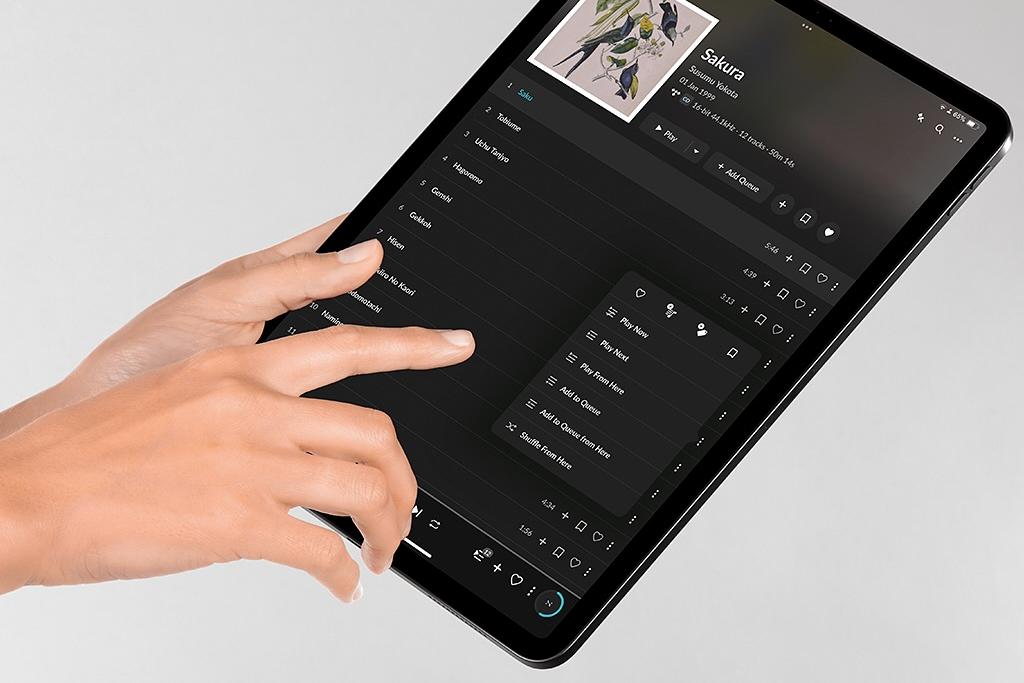
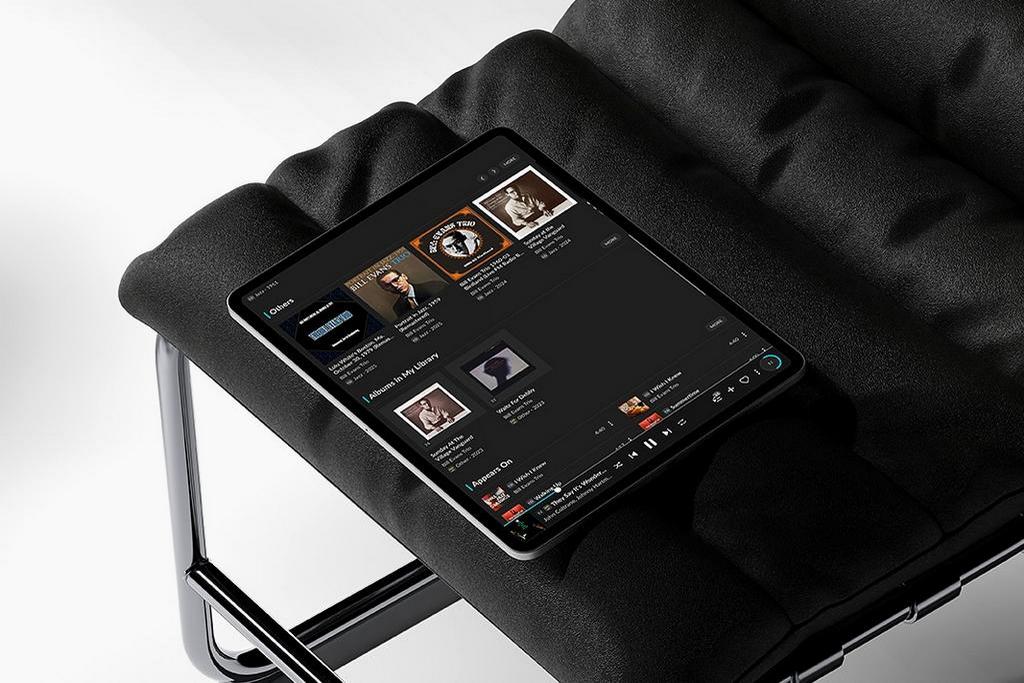
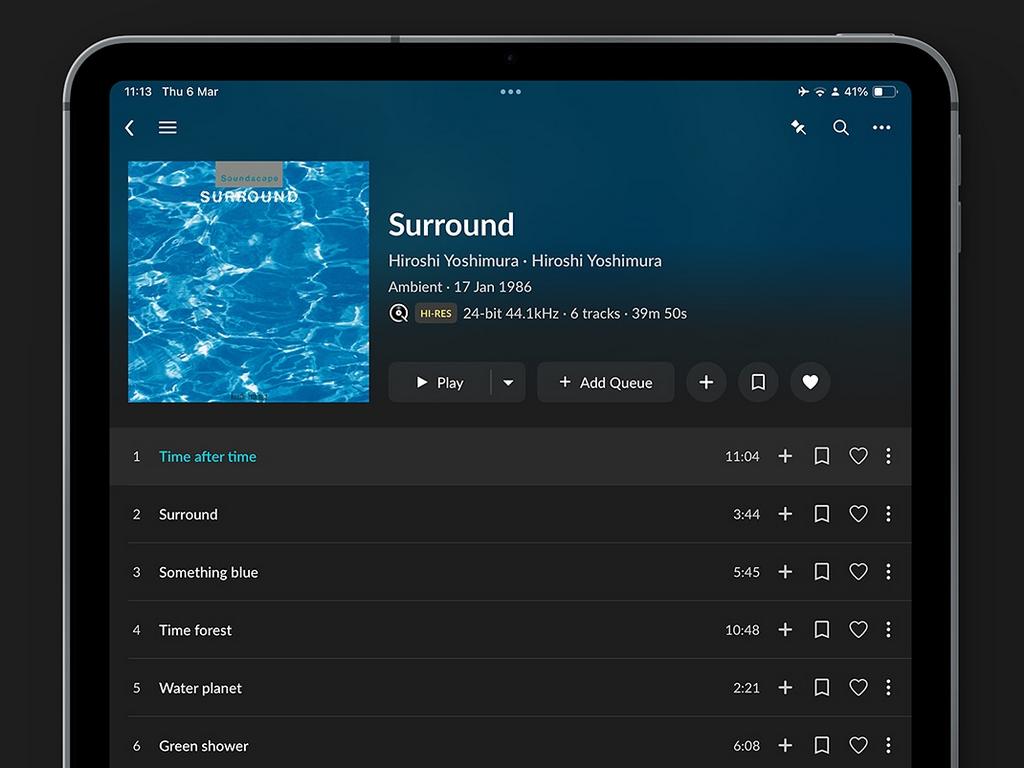
The experience of using it was simply an extension of the positive impressions that accompanied the installation and configuration of JPLAY. It felt as though I were using TIDAL with the ability to connect a drive full of files and a few audiophile extras added, or some revolutionary slimmed-down and accelerated version of Roon. JPLAY moves like a rocket, but in truth it is an advanced app whose full capabilities I had still not discovered even after three or four weeks of use. That does not really matter, because after the first day of playing with it I already knew that this app does almost everything I care about - it integrates music from various sources, clearly displays information about file quality and lets me choose any network-connected output device without asking questions, without taking up too much space, without forcing me to install additional software on a computer, and without limiting the hardware list to models that have passed some proprietary certification process - I will return to that point later. Navigation is completely intuitive. Every icon and every gesture feels carefully thought through and optimised for convenience. Browsing large libraries takes place without the slightest hesitation, while the search field responds instantly, highlighting results as each successive character is entered. We can, naturally, add tracks to the queue, browse playlists or mark recordings with stars and hearts - exactly as in TIDAL or Spotify. In other words, the user interface has been handled masterfully and is of the very highest global standard. I would go further - after some time, switching back to the aforementioned apps can be slightly painful. Partly because it is so easy to become used to JPLAY, and partly because in the apps of streaming services one will look in vain for more advanced settings or even the simplest graphic equaliser.
Let us talk like audiophiles
As for sound correction, the purist JPLAY does not have a great deal to offer, but once we enter the settings we once again realise the extraordinary level of understanding and knowledge of the finer points of music playback that lies behind it. Confronted with an interface that does not depart from the standards set by streaming service apps, one could easily assume that JPLAY is merely an extension of them - an app that gathers music from different sources in one place. Under the surface, however, things happen that would have astonished the philosophers. We select an output device, enter its settings, and find options such as Gapless Mode, Safe Transition Mode - which should be activated if there are errors when sending commands to the player - Force Stop Command Before Play, useful with certain devices, Alternative Resume Mode, which may help if a given piece of hardware has trouble resuming playback, Player State Check Frequency, where we can manually define the interval at which the app polls the state of our streamer, Re-Sync Delay measured in milliseconds, Volume Control using the physical buttons on the iOS device, Proxy for TIDAL and Qobuz, in which case music from those services is played through a server running on the iPhone or iPad, Proxy Server Port, Maximum Packet Size and a Configuration Page that opens the hardware player's setup page in the browser. Besides these options, which can be set individually for each device, we also have access to the global settings of the JPLAY app itself. Here we find tabs focused on playback and appearance, including Sleep Timer, Default Queueing Method, Appearance, Device Discovery, Browsing Settings, Database, Metadata and On-Device Image Cache, as well as Logs. There is plenty to play with.
When it comes to options related to the player, in most cases the default configuration should work perfectly well, but if something does not behave as we would like, these are the lifebelts worth trying. In my case, a small issue appeared with TIDAL and the Auralic Vega G1 - the first few seconds of each track would play, after which the entire track would restart properly from the beginning. The solution was to tick "Force Stop Command Before Play". Interestingly, the problem occurred only on the iPhone, while on the iPad the JPLAY app worked from the outset on factory settings and nothing stuttered, repeated or stopped for no reason. Gapless playback worked flawlessly even with 24-bit/192 kHz FLAC files and DSD material.
What are all these tools for? Well, the developer is evidently aware of how many devices are currently in use and how many new models enter the market every month. A user may have the latest Lumin streamer, a several-year-old Naim, or a split configuration made up of a server, network transport and DAC, each element from a different maker. The app itself may be installed on a brand-new iPhone or an iPad bought five years ago. In some apps, if something does not work or transitions between tracks on live recordings or concept albums are not as seamless as they should be, we simply have a problem and can at most look for help online by combing through forums, discussion groups and user comments. There is only a slim chance that this will lead to a solution. More likely, we will learn that our streamer is outdated and should be replaced, or read that the developer is aware of the issue and may perhaps solve it in a future update. JPLAY, by contrast, gives us an entire set of tools with which to fine-tune the playback process and adapt the app's behaviour to the needs of our hardware. In my view, that is a very attractive feature. Slightly nerdy, perhaps, but clever and forward-looking.
Before moving on to listening impressions, let us take a look under JPLAY's hood. As I learned from the developer's materials, the strength of this app lies in its adaptive transmission-management algorithms. "Other hi-fi apps keep network utilisation high, causing unwanted noise harmful to sound quality. JPLAY minimises network traffic between the app and the audio endpoint to the absolute minimum, providing the lowest possible network noise and as a result the best sound quality." - we can read on the JPLAY website. How exactly does this happen? Adaptive Update Time dynamically adjusts the frequency of UPnP queries according to the load on the Wi-Fi network, lengthening the intervals when the connection is weaker in order to reduce jitter and packet loss. Buffering settings let the user choose from several levels or enter a custom value in seconds to keep the process smooth, which may also bring certain sonic benefits. For those who want to go even further, JPLAY offers tight cooperation with HQPlayer, the well-known audiophile application that provides, among other things, several high-quality upsampling and downsampling algorithms, as well as dithering, noise-shaping and modulation algorithms. By combining the strengths of both apps, one can make use of DSP filters, oversampling and FIR/IIR algorithms. For advanced devotees of computer audio, this is nothing new, but in the mobile environment it is currently a unique solution, allowing the full potential of high-class DACs to be exploited outside a fixed home audio system as well.
Compatibility as the key to success
Every music lover who uses at least one streamer knows that choosing a device which supports all the services and formats we use most often can be surprisingly complicated. The issue is not just the music sources, but also how we want to control the equipment. Some manufacturers develop their own apps, yet these do not always keep pace with reality. Even the biggest players fall behind, while in the case of smaller companies the app becomes something like a remote control or setup panel through which we can access the settings of our streamer, whereas the process of music playback itself is much more conveniently managed through another application.
The natural instinct is to turn to streaming services, but this is where the problem of compatibility emerges. To use services such as Spotify Connect, TIDAL Connect, Qobuz Connect or Roon, audio devices must be compatible with them, because each of these technologies relies on its own data-transmission protocol and requires both software and hardware support. Above all, the streamer must obtain the appropriate certification, which allows it to receive the audio stream directly from the app or another source. Spotify Connect, TIDAL Connect and Qobuz Connect make it possible to send music directly from the app to a compatible device, bypassing the phone as an intermediary. If our hardware lacks such certification, it will not appear on the list of output devices, and we can forget about convenient music playback directly from the streaming service app. These services are popular enough that most hardware manufacturers treat obtaining the relevant certifications seriously, but from an audiophile perspective TIDAL Connect or Qobuz Connect still do not solve the problem completely. Because what if we want to listen to hi-res files from a local drive? In that case, we are forced back to the streamer manufacturer's app or to searching for yet another solution - another app to add to the collection.
Roon effectively solves the problem described above. The catch is that while not every streamer or network speaker supports, say, TIDAL Connect, a Roon Ready certificate is a sign that a given device belongs to a very elite club indeed. That certification means full integration with Roon's music-management system, including support for the RAAT protocol. Without built-in support for these technologies, a device cannot properly receive the signal, synchronise playback or ensure suitable transmission quality, which makes using these services either impossible or seriously limited. Credit must be given to Roon's creators for the fact that they control the certification process very carefully, making sure that when the happy news is finally announced everything is ready - even the icon reflecting the look of the device in question. Roon Labs treats its software like a work of art, polishing every detail with near-obsessive care, and the appearance of new streamer or network amplifier models on the list of Roon Ready components is a small celebration, an important day both for the manufacturer and for the users of that model. Unfortunately, such a tactic means the wait for certification is long. Really long. And although the family is gradually expanding, the problem is now recognised both by hi-fi manufacturers and by customers themselves. After all, finished products cannot be kept in a warehouse for months until the certificate is officially granted, especially when the manufacturer applied for it well in advance.
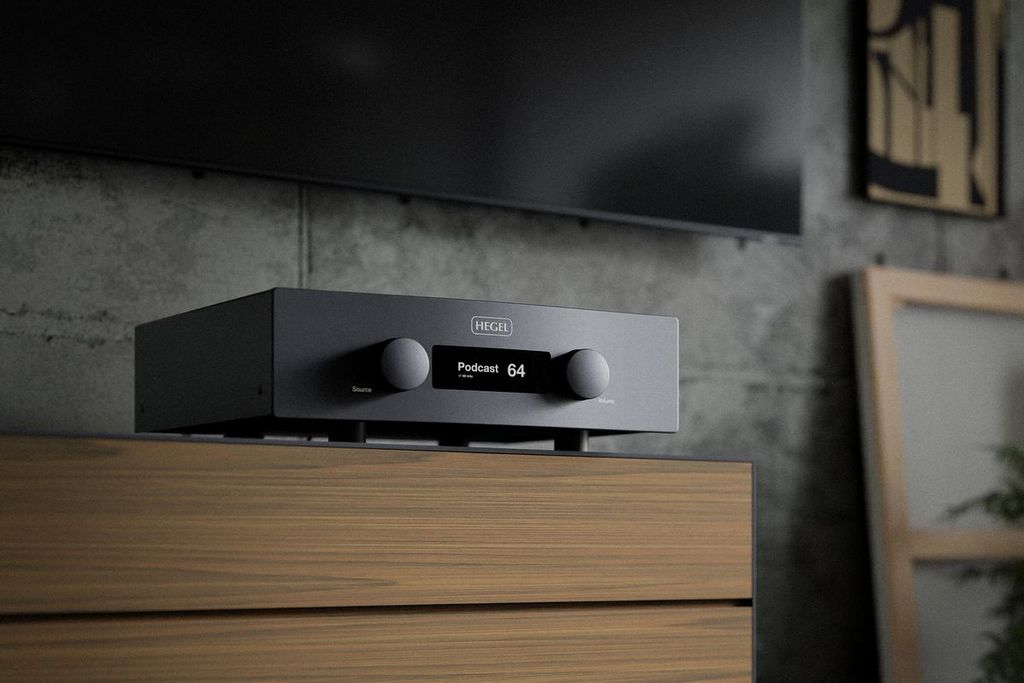
Many companies manage without major difficulty to secure the badges for TIDAL Connect, Qobuz Connect, Apple AirPlay or Google Cast by the time a new model is launched, while when it comes to the completion of procedures at Roon Labs there is not even an approximate timetable. This was the case, for example, with Hegel's H390 and H590 network amplifiers. These were two flagship models from the Norwegian company, so naturally they had to carry Roon Ready certification, which Hegel had announced from the very start. Yet month after month passed without the long-awaited news appearing. I know the story from the inside, because several of my friends chose the H390, and the issue of Roon kept returning in our private conversations. The ball, however, was in Roon Labs' court, and all that remained was to wait patiently. Hegel fans, who form a genuinely pleasant and civilised community, were becoming impatient to the point of exasperation. Hegel was even criticised for releasing the V10 phono stage. Users of those amplifiers hurled accusations at the Norwegians for focusing on "irrelevant" things while customers were still waiting for promises about streaming to be fulfilled. And it is hard to blame them, because the H390 entered the market in May 2019 and received its Roon Ready certificate only in August 2022. More than three years of waiting for an amplifier to become fully functional and compatible with a software that costs $15 a month? I do not think that requires much comment. Hegel was by no means the only company forced to bide its time in the queue. The result is that many users and many hi-fi manufacturers alike have become discouraged with Roon. The biggest players and high-end specialists have not withdrawn, because for a sizeable proportion of audiophiles Roon remains the gold standard in streaming software, but the high subscription costs and long certification wait have led more and more people to start looking for an alternative.
JPLAY appears to bypass these problems. The app uses the most popular universal network-communication standard, UPnP - Universal Plug and Play - which allows devices on a network to detect one another automatically, enabling communication and seamless operation. JPLAY has its own partner programme and issues certificates to devices that successfully complete the verification process. Weiss Engineering, Totaldac, Bristasi, Hegel, Keces Audio, dCS, MSB Technology, Eversolo, Cary Audio, Ayre Acoustics, Nagra, Rockna Audio and Electrocompaniet are only some of the brands that have already joined this family. That does not mean, however, that if our particular model is not on the list, JPLAY will absolutely refuse to see it. For now, the developer is not limiting anything, erecting artificial barriers or forcing us to use certified equipment. I carried out a quick comparison and Roon detected 4 output devices in my network, while JPLAY found 7. Had I not made a point of choosing hardware compatible with Roon - despite everything I remain a great admirer of that software, and in one of my systems I changed the network transport solely because, despite the manufacturer's promises, it never received Roon Ready certification - the result would have been even more favourable to JPLAY. From the user's perspective, the message is simple - we can choose almost any streamer, and there is a 90% chance it will be visible in the JPLAY app, allowing us to benefit from everything it offers without asking anyone for a firmware update and without replacing our hardware simply because someone failed to come to an agreement, failed to meet requirements or simply gave up and told users to look for some other, less complicated solution. In fact, the only real limitation is that the app is available exclusively on iOS devices. Android users will be disappointed, because a version for that system is not even under consideration.
Sound quality
I am perfectly aware that comparing the sound one can obtain through different music playback apps may seem strange or even abstract. After all, we are talking only about a tool whose job is to build a bridge between the data source and the streamer. On the one hand we have the same material - whether that means files from a local drive or a stream from TIDAL or Qobuz - and on the other exactly the same player, while the only thing we change is the app used to manage the process, and this is somehow supposed to improve sound quality? Well, yes, that is exactly how it works. It is enough to look beneath the surface to see how much work such an app can do on our behalf. It is something more than a pretty interface through which our role is reduced to opening tabs and clicking nice icons. I have already convinced myself of this many times when comparing, for example, three methods of playing identical material - directly from the TIDAL app, then through the streamer manufacturer's own app such as Auralic or Lumin, and finally through Roon. The sound was always somewhat different. The differences were obviously not dramatic, it was not some abyss, but I could usually identify my favourite relatively easily, and more often than not it was Roon. Sound coming directly from TIDAL was usually the most immediate and literal, geared towards dynamics and clarity, but also slightly cool and transistor-like. The manufacturers' own apps most often favour musicality, tonal colour and long-term listening comfort. I have not tested every one in existence, but I have reviewed many streamers and all-in-one systems, and there are around 70 such apps accumulated on my phone - Lightning DS, Sonos, Focal & Naim, HEOS, BluOS, MusicCast and many, many more - so I do have some orientation here. Before we go any further, let me stress once again that in most systems the difference between individual apps will be subtle, but noticeable. The decision about which one we use most often will depend on both sonic qualities and functionality. That does not change the fact that sound quality and tonal character matter to audiophiles, and if switching software is enough to bring about an improvement comparable to changing an interconnect or a mains cable, it is definitely worth taking an interest.
The first thing that draws attention when JPLAY starts is the exceptional clarity of the sound. The presentation becomes more lucid, more convincing and richer in detail that might previously have slipped past unnoticed. Can this effect be compared to removing an invisible veil from the loudspeakers? While some reviewers described their impressions in exactly that way, I would not go quite so far, but it is true that after switching off Roon and moving over to the app created by Marcin Ostapowicz, I was accompanied by a strong sense that something had definitely shifted in the area of transparency and microdynamics. Crucially, this happens without any artificial lift in the treble or any impression of clinical coolness. Tonal balance does not change, colour remains intact, so the source of this perceived improvement lies elsewhere. After a few days of listening, it finally struck me - the effect is similar to what I experienced with the Tellurium Q Statement II cables that I had the pleasure of reviewing, and the Ultra Silver II that I use privately. The sound remains the same in overall character, but becomes tighter, more focused and beautifully ordered in the time domain. Nothing blurs, not even at the level of the musical plankton. If something is meant to be a point, it genuinely becomes a point rather than a smudge. Statement II and Ultra Silver II are among the very few cables I know that can clearly raise the level of transparency, making sound more tangible and realistic without introducing unwanted artefacts or altering the general shape of the presentation. That distinguishes them from cables that go equally far in terms of resolution but also make the sound exaggerated, thin, hard, dry and square. Once I became aware of this spiritual kinship between Tellurium Q cables and the JPLAY app, I knew it was not going to be a one-off affair. I realised I would use it more often, though I still did not expect how often.
Another aspect in which JPLAY impresses is spatiality. The soundstage gains not only width but also depth. Phantom images are placed within it with surgical precision. The sense of holography and three-dimensionality surpasses even what Roon can do, and I consider Roon's positive influence on spatial rendering to be one of its greatest strengths. Every time I switched over to JPLAY, I was also aware of a slight darkening and cleaning of the background. I know that by using such terms I am feeding people who love to mock reviews of audiophile hardware and descriptions of listening impressions in general, but the darkness really did become darker, more velvety and deeper. Why does this happen? My guess is that the software reduces noise and interference at such a subtle level that the result is greater silence between sounds, which in turn emphasises dynamic contrast and the texture of the recording. That does not just improve the perception of detail, but also makes the music sound more natural and more relaxing. I am pleased, incidentally, that JPLAY takes care of different aspects of the presentation and is not merely a tool for x-raying recordings. True, if we want it to and focus solely on detail, the app will let us squeeze more out of a system, but during ordinary day-to-day listening it delivers sound that is so neutral, coherent and musical that we do not feel under pressure to switch on our full analytical machinery and start fishing every breath, every creak of the engineer's chair behind the glass and every collision of air atoms inside the body of the double bass out of the recording.
Preparing this article about JPLAY took me quite a lot of time. Firstly because I wanted to gather all the available information about it, and secondly because I did not want to base the description of its sonic performance on a few quick comparisons. Instead, I decided to carry out a long-term experiment in which I first staged head-to-head comparisons in a state of heightened concentration, and then began listening to music for pleasure - in the evenings, during work and while going about everyday tasks. The conclusions are very interesting. While in quick comparisons JPLAY showed its superiority over other apps or, if someone insists that they subjectively prefer a different sound, at least distinguished itself in several key aspects of presentation, over the course of several weeks turning it on became my natural reflex. Roon, Audirvana and TIDAL - not to mention apps such as Lightning DS, which I use very, very rarely anyway - began to strike me as 'nice, but somehow not quite right'. JPLAY's advantage in transparency and dynamics became ever more apparent. Both Roon and Audirvana sounded too warm and too polite. They lacked bite and the ability to convince me that what they were painting between the loudspeakers was happening here and now. Once again, I stress that it was not a night-and-day difference, but after two weeks I was already using JPLAY almost exclusively. When one day I decided to return to Roon, it greeted me with a message about a new update because it had not been launched for so long. And remember, we are talking about costly software widely regarded as the best tool for demanding audiophiles. The fact that I replaced it with the far lighter, simpler and cheaper JPLAY speaks for itself.
Still, so that this does not sound too sweet, let me pick on one thing. I know my opinion will be controversial, but I miss an equaliser in JPLAY. What?! Surely that is contrary to the very idea of high fidelity, unworthy and unaudiophile. Why become interested in an app that improves sound quality if at the same time one intends to undo all its efforts with an equaliser? Allow me to explain. Naturally, I was not missing a typical equaliser that would let me boost bass and treble to the maximum or perform some other manoeuvre that turned the entire carefully assembled structure upside down. I am, however, a supporter of systems built properly and allowing subtle yet noticeable adjustments. Roon has shown that this can be done in an extraordinarily elegant way. In its settings we find a number of little tools that, in my view, do not clash with the pursuit of the highest sound quality, while at the same time improving long-term listening comfort and allowing the user to neatly fill in small gaps resulting from the character of the system, loudspeaker placement, room acoustics and so on. My favourite features are those related to shaping the stereo image, including crossfeed, that is, channel blending. I use it not only with DACs and headphones, but also in the system where my Equilibrium Nano monitors stand on a large desk. Crossfeed lets such a setup breathe and sound like a full-size hi-fi system. Although the speakers are literally within arm's reach, I close my eyes and feel as though I am sitting in a living room listening to widely spaced floorstanders. When I want to focus more intently on subtle differences and obtain a more studio-like sound, I switch channel blending off, but later I return to it because it simply makes listening more enjoyable. In Roon we find an advanced parametric EQ, curves for various headphone models, presets by Chu Moy and Jan Meier, and a host of other tools which we do not have to use but can use if we decide there is a need, or simply feel like experimenting and then, should we dislike the result, return to the starting point. Say what you will, but I believe JPLAY would not suffer from adding similar options, just as sports cars are not harmed by offering a comfort mode. And what if there were serious room-acoustics correction, something along the lines of Dirac Live? That would be explosive, an absolute game changer. Because will users really want to go through the process of combining JPLAY with HQPlayer? Some certainly will, but in my opinion every additional option should eventually be integrated neatly into the app itself in the form of an icon or another tab in the drop-down menu. We should remember, however, that JPLAY on iOS has been around for only two years and is still winning over an ever larger group of audiophiles and music lovers. For the moment, it is enough to enjoy what has already been achieved and watch its development patiently. It is excellent already, and can it become even better? Time will tell.
So how much is it?
JPLAY for iOS can be downloaded directly from the App Store. It is compatible with iPhones, iPads and Mac computers with M1 or M2 processors. The app is available in English, German, French, Italian, Japanese, Portuguese, Korean, Chinese and Polish. JPLAY is a paid app, though its price can hardly be called prohibitive, especially when compared with its more decorated rivals. The annual subscription costs $50. That price includes access to all features and updates. To make it easier for users to try the app, the developer offers a free two-week trial period. That is entirely sufficient to test the software and see whether it meets our expectations. The subscription model helps finance the app's constant development and rapid updates - in the first six months alone there were five major releases, which says a lot about the developer's commitment to refining one of its key projects. Once again, it is difficult to avoid comparison with Roon, which costs $150 a year - three times as much as JPLAY. To be clear, that is not exactly a fortune either, and given the prices of most devices with Roon Ready certification, the amount seems almost negligible. It is hard to believe that the owner of an Aavik S-580 streamer costing $25,000 or a Hegel H600 network amplifier priced at $13,999 would even notice 150 dollars disappearing from their account. On the other side of the fence, however, we have free apps that may not be ideal, but can do at least something. JPLAY has slipped very neatly into the gap between those two options, offering far more and being a more versatile, polished and genuinely audiophile app than the free alternatives, while also remaining lighter, simpler, faster and cheaper than Roon.
Conclusion
JPLAY on iOS is not merely another music playback app, but an important step forward and a lesson in what streaming should look like in audiophile form. It combines a minimalist, simple and intuitive user interface with advanced mechanisms that together create an experience previously reserved for large, heavyweight apps and desktop systems, all of it wrapped in a package so approachable that it can be installed on an iPhone or iPad with a single tap. What we get is software for those who want to extract something more from digital music than merely correct sound - who want to move to a higher level and take every opportunity to improve their system. In my experience, the improvement is comparable to changing digital filter settings in a player or replacing one of the cables - loudspeaker, interconnect or power. Depending on the configuration, on the system's sensitivity to such changes, and even on the network architecture and data source used during listening, the scale of the changes may vary. It is worth remembering, however, that deeply committed audiophiles willingly spend thousands, tens of thousands or even more on cables. If a similar difference can be heard simply by switching to an app whose lifetime cost is only a fraction of the price of a high-end cable, then there is not much to think about. To me, what matters even more is that at last something has started moving in this field, and at its price JPLAY remains accessible enough to interest even owners of more modest stereo systems, who may be looking not so much for a spectacular leap in sound quality as for the convenience of combining a file library and music from streaming services in one modern and easy-to-use app. Without a constantly running background core, without compatibility headaches, without unnecessary extras, and without several gigabytes of storage consumed on multiple devices. Highly recommended.